De-Dead Zone
Improve the performance of the Dreamcast's race controller with a simple microcontroller circuit.
Thank you very much for your interest in this modification! This page has a series of pictures showing the installation process and some notes on using the modification. If you have any further questions, please do get in touch.
Installation Instructions
Materials

If the three-pin cable is not currently attached to the modification board, connect it to the socket labelled "Stock PCB", furthest away from the end of the board with the three holes.
1. Getting inside the wheel

2. Remove the bottom plate

3. Freeing the stock PCB

4. Move the stock PCB

5. Flip the stock PCB over

6. Disconnect the wheel from the stock PCB

The screw on the left hand side should also be removed.
7. Start clipping in the modification board

8. Add the second plastic clip

9. Screw the modification board to the stock PCB and plastic bracket

10. Connect the modification board to the stock PCB

11. Flip the stock PCB back over
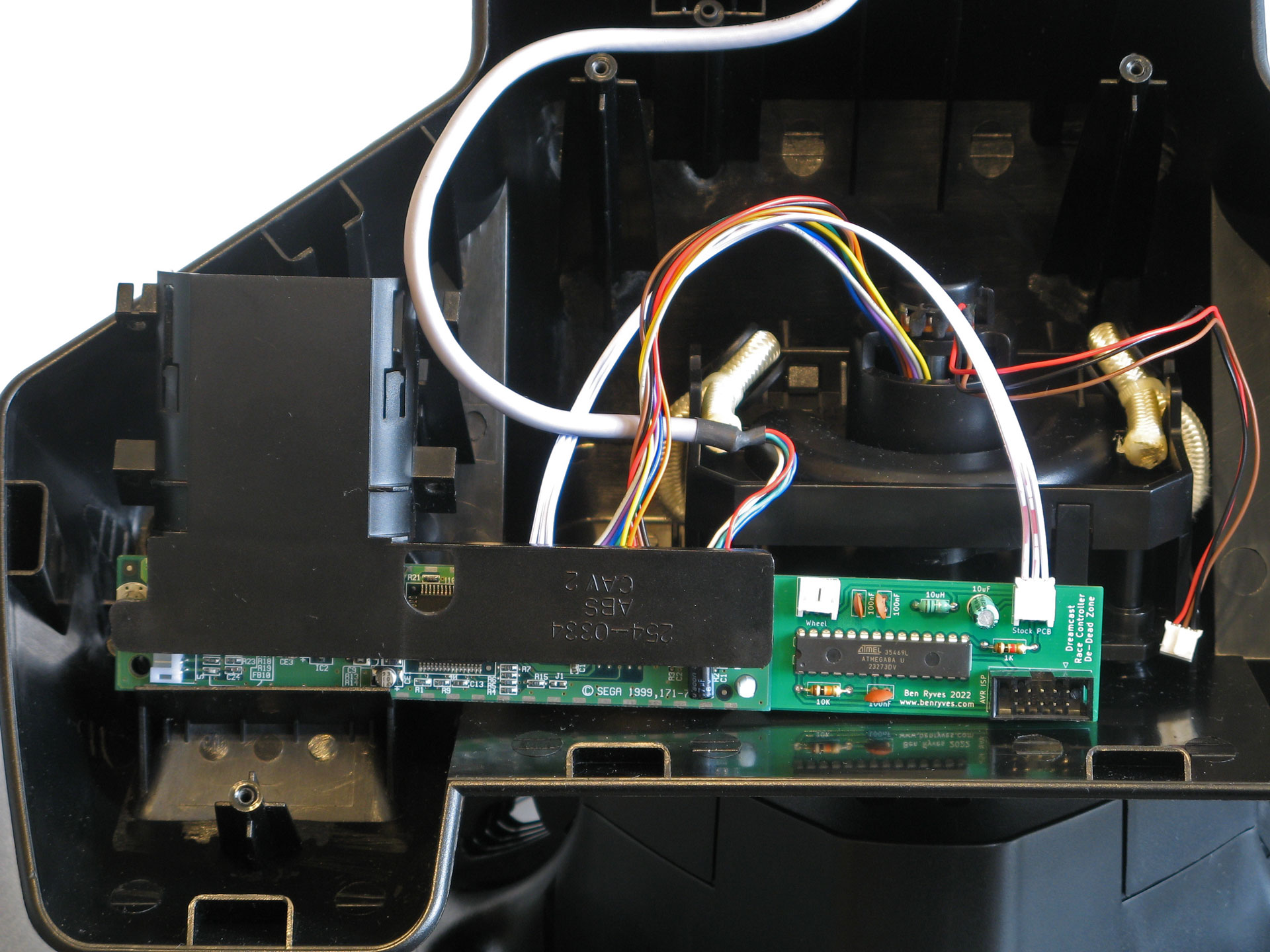
12. Plug the wheel into the modification board

13. Screw the plastic bracket back in

14. Reattach the bottom plate

Usage
The modification is now set up and ready to use. It significantly reduces the size of the wheel's dead zone which should make it feel much more sensitive and easier to make small corrections. It also slightly expands the available range of motion.
Whenever the wheel is powered up the modification board automatically recalibrates itself to the wheel's centre position. If the wheel is held off-centre or moved around when the wheel is powering up then it will not return to the correct centre position. If this happens, you can reset the wheel by unplugging it and plugging it back in again.
Some games seem to have been designed with the wheel's large dead zone in mind and so become a little twitchy with the modification installed. You can therefore enable or disable the modification by intentionally holding the wheel all the way to the left or right when switching on the console:
- Turn the wheel all the way to the right when switching the console on and the modification will be disabled (turn to the right for a larger dead zone).
- Turn the wheel all the way to the left when switching the console on and the modification will be enabled (turn to the left for a smaller dead zone).
The modification will remember whether it was previously enabled or disabled, even if you unplug it or switch the console off and on again.
Further help
If you need any further help installing or using the modification, please send me an email at benryves@benryves.com.